
Conquest Werbeagentur GmbH
Kürnbergblick 3
4060 Leonding
Conquest Werbeagentur GmbH
Kürnbergblick 3
4060 Leonding
Sabine Schuster & Katja Lepschi
For the second time, we were able to support the voestalpine Steel Division with their booth at Blechexpo. We know trade fair projects well: creating key visuals, designing walls, preparing assets – from invitations to social media.
But at this Blechexpo, we surpassed ourselves with a special video featuring a runner running across an LED wall all day long – seamlessly, with no visible beginning or end. And completely AI-generated.
We spoke to our Art Director Katja Lepschi about how this came about and what makes this project so memorable.
voestalpine has continued to develop its image in recent years. In the past, the focus was on products. Today, it’s people: Employees, customers, families. The brand shows what it stands for – also in terms of sustainability issues such as decarbonization
The runner is symbolic of this constant movement towards a greener future. In 2025, this motif was used in various forms at several trade fairs – and we were to reinterpret it for Blechexpo.

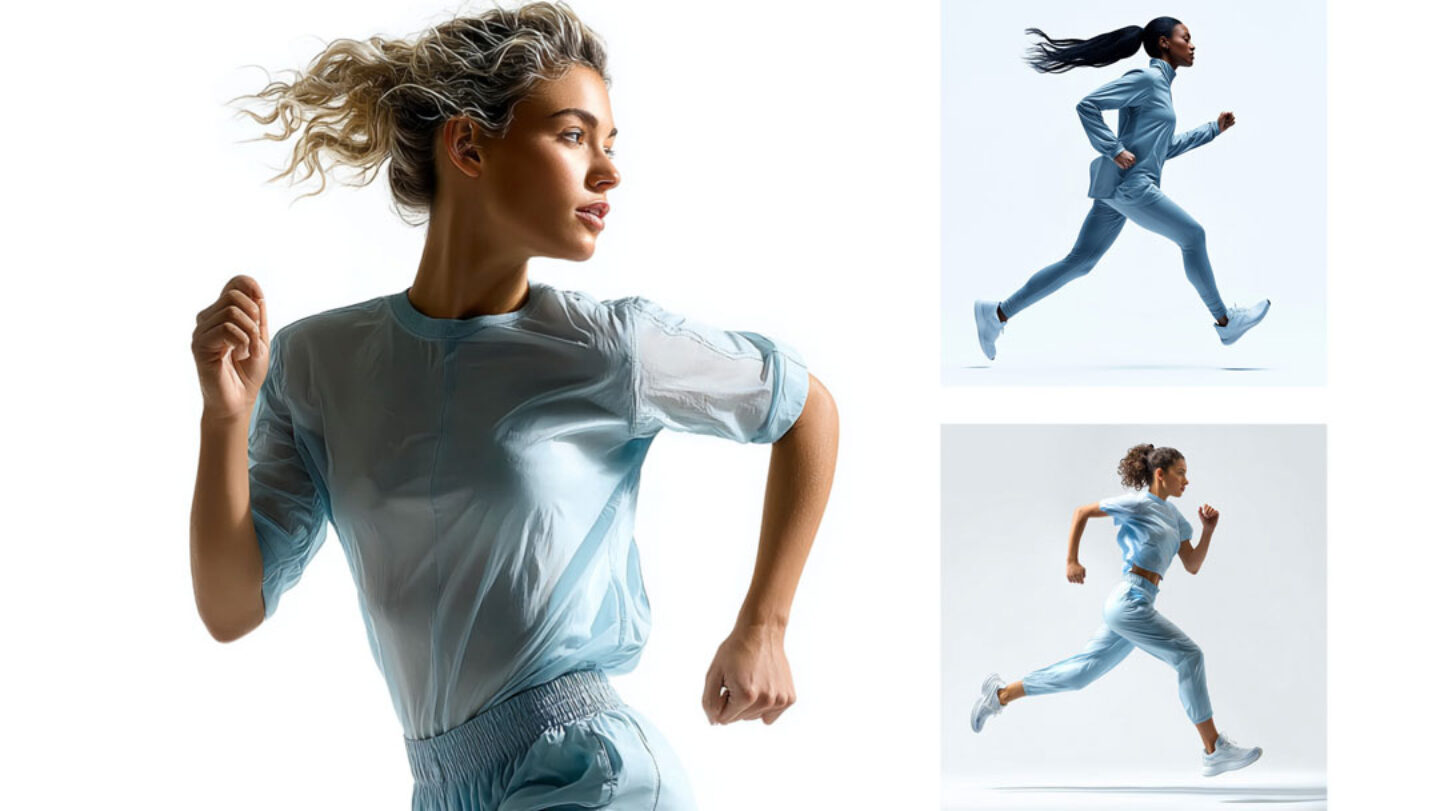
Only the “runner” concept was mandatory. We had to decide everything else. What does she look like? What is in the background? And above all, how do we make her run endlessly on a huge LED wall: not just briefly, not just a marathon, but the whole day? The answer lay in AI.
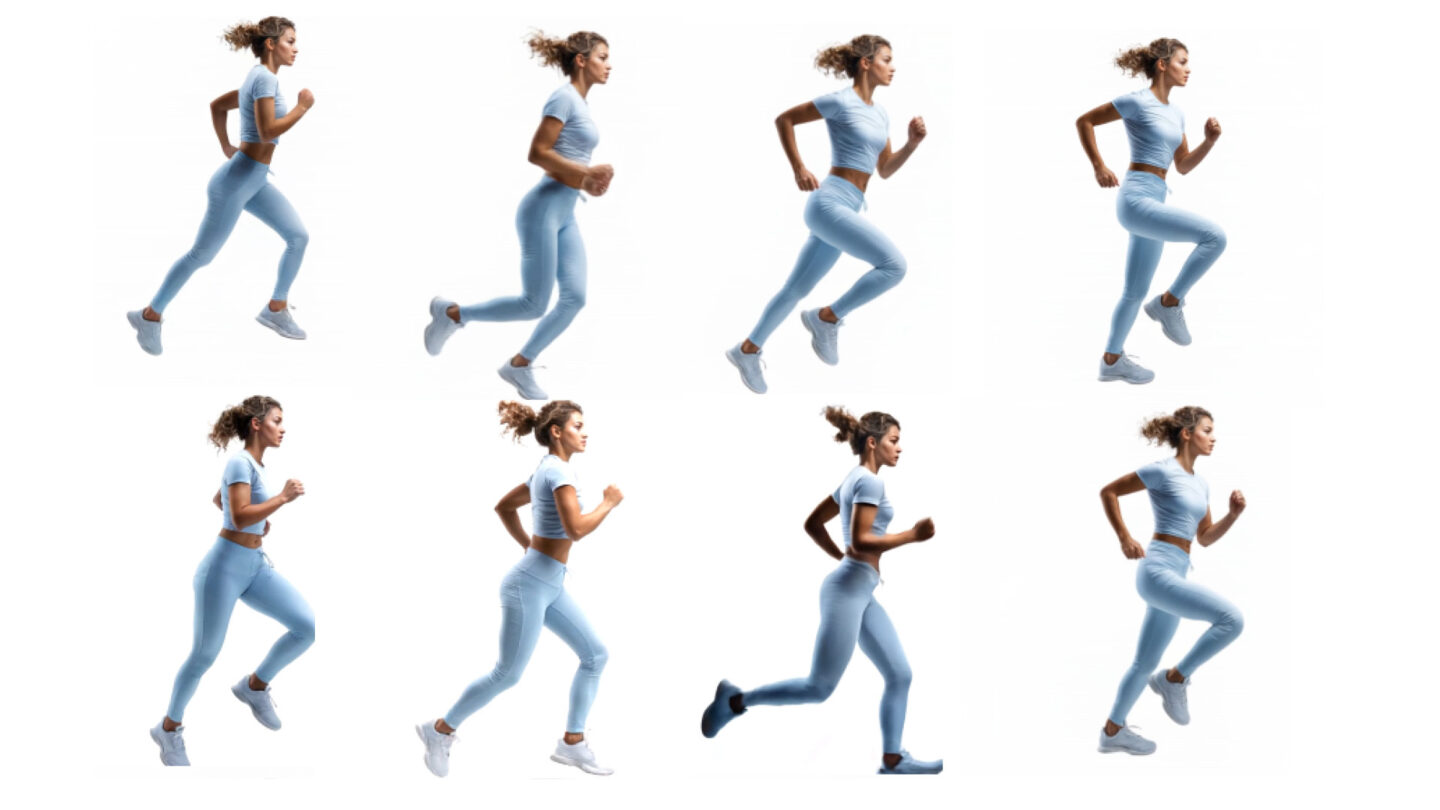
No, it would not have been technically possible to create a perfect loop. There would always be an offset between the end of one loop and the start of the next. With the AI, we were able to precisely define the start and end point of the movement and thus create a seamless transition.
It only sounds that way. Anyone who works with AI knows: it’s a black box. You type in the same prompt and get three completely different results. That’s what makes it so exciting :-). For us, this meant trying things out, fine-tuning and a lot of patience. It was a process of trial and error. But I’m happy with the result.
It was actually a whole toolbox, because every AI has its strengths and weaknesses:
The runner’s appearance was developed using one AI. Variants, outfits, hairstyles. All in close collaboration with the customer.
The image was then scaled up to the required size using another AI – this was the only way to display the static subject on the large exhibition wall without pixelation.
We then implemented the movement for the LED wall using a third tool. We tried out countless prompts and refined them again and again until we achieved the perfect result for our customer. Finally, our video experts combined the runner with the background concept to create a real eye-catcher for the trade fair booth.
Practice makes perfect. Don’t give up, it often takes countless prompts or regenerations before you get a result you are happy with.
Don’t give up
The choice of the right tool is crucial here. Midjourney or Freepik? Or Chat GPT straight away? Sora? Gemini? Runway? You can waste an endless amount of credits. For me, Midjourney & Freepik are currently my go-tos, but the AI landscape is changing so fast that you really have to be on top of the latest developments.
Communication is changing, at trade fairs as in all other areas, and AI is playing an increasingly important role. What would previously only have been possible with great effort (or not at all), we can now solve flexibly, creatively and impressively with our AI expertise.
If you would like to learn more about AI tools, trade fair design or our creative processes: We would love to talk!
You can find out more about the Blechexpo trade fair and the entire project here
"*" indicates required fields